5 Steps to Write a Business Newsletter Readers Will Remember
A hand holding a smartphone with a large "newsletter" envelope icon on the screen below smaller icons, which symbolizes the importance of knowing how to write a business newsletter.

The “news” part of the word “newsletter” implies they bring timely updates for fresh and hopefully, interesting content. But how do you write a business newsletter that gets noticed?

My writing and e-newsletter creation processes keep evolving, but I’ve found an easy formula.

And for more in-depth advice on this and other parts of e-newsletter creation, read How to Write a Business Newsletter: Examples, Format, and Strategy.

In this series of five videos, see how to write your emails to boost your results.

5 Ways to Write a Business Newsletter Your Audience Won’t Forget

1. Just jot – Whether you put pen to paper, type in plain text, in the template, or a document, don’t judge, and don’t edit, especially while you’re crafting. Swat that inner critic away until you’re done.

But follow the 5 Cs of Professional Business Writing.

You don’t always have to write from scratch, either. If you curate content from other sources like articles or a lead magnet (a landing page, blog, etc.), it’s often easier to copy and paste into your newsletter template.

Other writing notes:

  • E-newsletter archives or blogs: To optimize them for search, consider adding SEO keywords to:
    • your headers
    • meta description
    • page URL
    • body copy
  • Remember scannability: Bullet points effectively break up the text. A single-column format can look appealing, however, to reduce scrolling, consider splitting longer text into two columns.
  • Formatting: Follow AIDA (attention-interest-desire-action) or the inverted pyramid style of journalism, with the most important information at the top.

2. Describe hyperlinks, alt-text, and photos – The classic command “click here” is easy to write, but can be clearer. Outside of calls to action, challenge yourself to write hyperlink text that describes where you’ll take readers. It can also improve accessibility, enhancing understanding for people with visual and cognitive impairments (and their screen readers).

Example: Explore more tax savings plans.

While drafting alt-text descriptions for images, avoid phrases like “image of” or “picture of.” Prefer a clear statement that shows readers the content. See 5 Ways to Write for Accessibility and Readability.

Photo captions should give just the facts: the names of people (with their titles), places, or things shown.

3. Calls to action – CTAs persuade readers to act, often to click a link at the end of the text, though they can emerge earlier.

I’ve crafted CTAs that stress a benefit and urgency to emphasize what readers will get. But as Nancy Harhut says, that advice is old hat. Instead, be more specific through action verbs and clear benefits.

Example: Learn More (old way) vs. See How it Works (new, improved way)

To consider the benefit, ask three essential questions:

  • What’s the reader’s pain point?
  • What’s the immediate benefit?
  • How can I make it specific and tangible?

4. Headlines – When I started Five-Minute Business Writing Tips, I’d write the headline first. But as I’ve learned, when you write a business newsletter, to capture the core message, it’s better to wait until you’ve finished a draft.

If you’re stuck, test common lead-generating formulas. Analyzers from Sharethrough or the Advanced Marketing Institute offer insights into attention-getting styles. Numbers, the 4Us, and “how to” are among my favorite approaches.

AI can spark ideas you can polish into catchier and more creative subject lines.

Strive for clarity, specificity, and attraction. Seek to hook honestly, not through “salesy” or misleading clickbait.

5. Preview text – Consider it the expansion or “other half” of a headline. Preview text summarizes your email content while it adds context and intrigue. Tease it without giving away too many details.

You may recycle another subject line you rejected here. Like the main attractor, aim to turn heads. If you have a newsletter/blog, like I do, you may reuse or rework the web page meta description into the preview text.

See where to put your e-newsletter content–save time and gain results

What are some of your favorite newsletter writing techniques? Please share in the comments.

QUOTES

“The best newsletters feel like they’re written by a human, not a corporation.” ~ David Ogilvy

“A newsletter is a conversation, not a lecture. Make it personal and authentic.” ~ Chris Brogan

How Do You Write a Business Newsletter Template?

Creating a good business newsletter template that builds credibility and attracts clients shouldn’t feel like a never-ending battle. One day you might win with an appealing design, and the next you lose readers with bland content. Without a clear and consistent structure, readers can become confused and look elsewhere.

For ten years, I’ve used simple frameworks to keep e-newsletter subscribers loyal. Download the Easy 5-Step Business E-Newsletter Template to create business-boosting emails.

What is a Good Business Newsletter Format?

Business newsletter template formats vary in style based on your industry, audience, and your goals.

When you adapt your template to your content, your goals, and your audience’s needs, you can build relationships that lead to sales.

In my experience, a strong business newsletter format focuses on:

  • An engaging introduction or feature articles with clear calls to action that build interest in your content and offers.
  • A one or two-column format (or a mix of both) to enhance reading or skimming.
  • Compelling design elements like quality images, consistent branding, complementary colors, and easy-to-read text.

The right business newsletter templates create must-read messages.

Templates and Snippets

“Think of it like having a toolbox full of ready-to-use content pieces. We create templates for different sections like updates, client stories, or promotions. When it’s newsletter time, we just plug in the relevant info and voilà!”

Tommy Mello, CEO, A1 Garage Door Service

How Do You Create a Branded Email Template?

Online newsletters are easier to customize, analyze the results, and send at any time, often costing less than a print newsletter.

Good Business Email Templates

Compared to paid options, free business email templates have limits; your email marketing provider (ESP) might restrict the number of “sends” and subscribers on your plan.

Design-wise, look for templates with a clear, mobile-friendly, and easy-to-scan design. ESPs offer everything from basic business newsletter templates to industry-specific designs.

Good formats organize your content well and help your messages maintain a look and feel consistent with your brand.

Email templates have some downsides. Layouts that look plain or are common, used by other businesses, don’t stand out. Templates might also not offer enough customization or personalization options. To avoid these issues, pick templates that fit your brand, customize them, and use subscriber data to personalize the content as much as possible.

Test different layouts, content locations, CTAs, and subject lines. Making the design mobile-friendly and adding video, animated images, or interactive sections can encourage engagement. Personalizing the content for each reader also helps.

Tracking data to see what works best lets you adapt the design over time.

Your email footer should comply with anti-spam regulations like CAN-SPAM (U.S.), and GDPR (Europe).

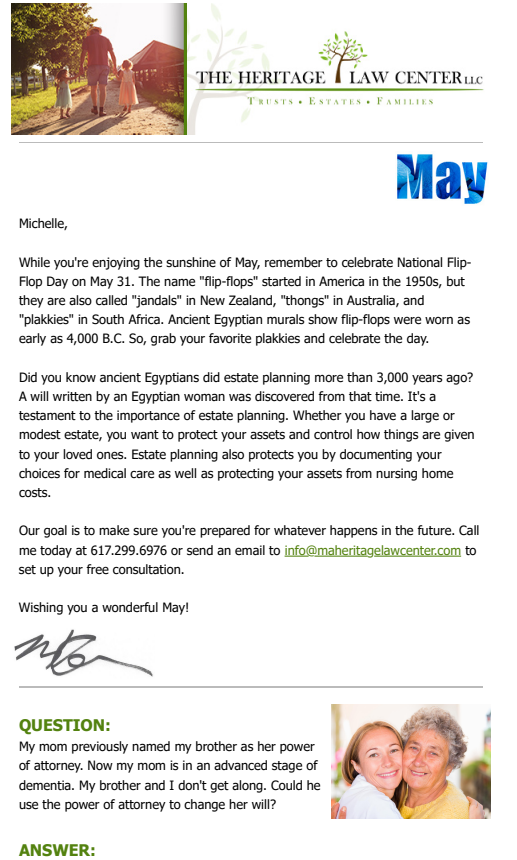
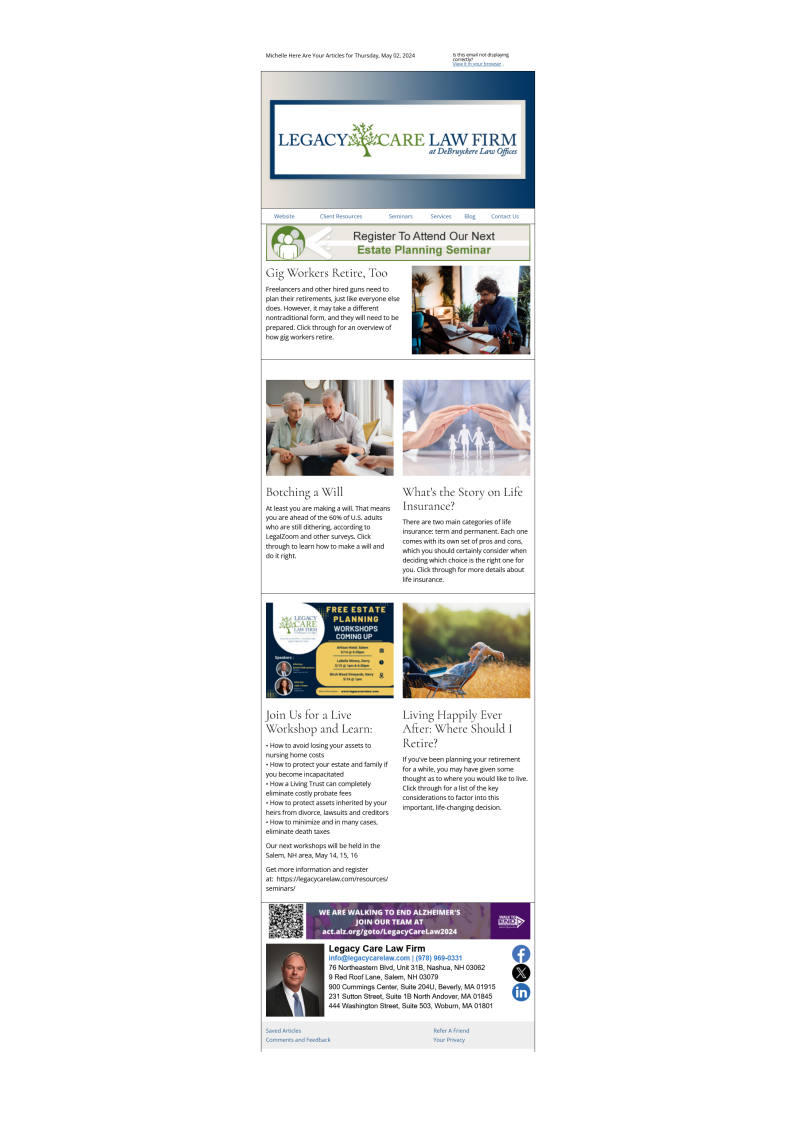
An industry-specific one for professional services firms (accountants, attorneys, etc.), can yield an engaging email. A clear format is crucial, as is clear writing.

Email Marketing Resources:

Knowing how to write an article for a business newsletter can prepare you for writing a business newsletter. It’s all part of how to write an email promoting your business. Suitable writing styles also vary by industry. Learn how to create a professional email newsletter or how to write a law firm newsletter.

Successful Business Newsletters: Case Studies

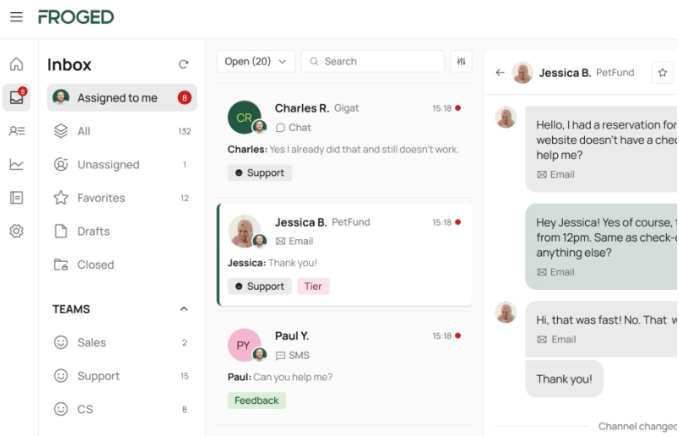
The FROGED software platform inbox, showing folders on the left, email senders in the middle, and text-filled balloons on the right. Their business newsletter templates followed a simple format.

Marketing Sherpa’s research offers insights into email marketing methods that have boosted engagement.

Their study of the software platform FROGED‘s emails showed the company’s switch to plain-text messages with simple calls to action doubled open and click-through rates.

It helped that the emails came from a staff member, adding a personal touch.

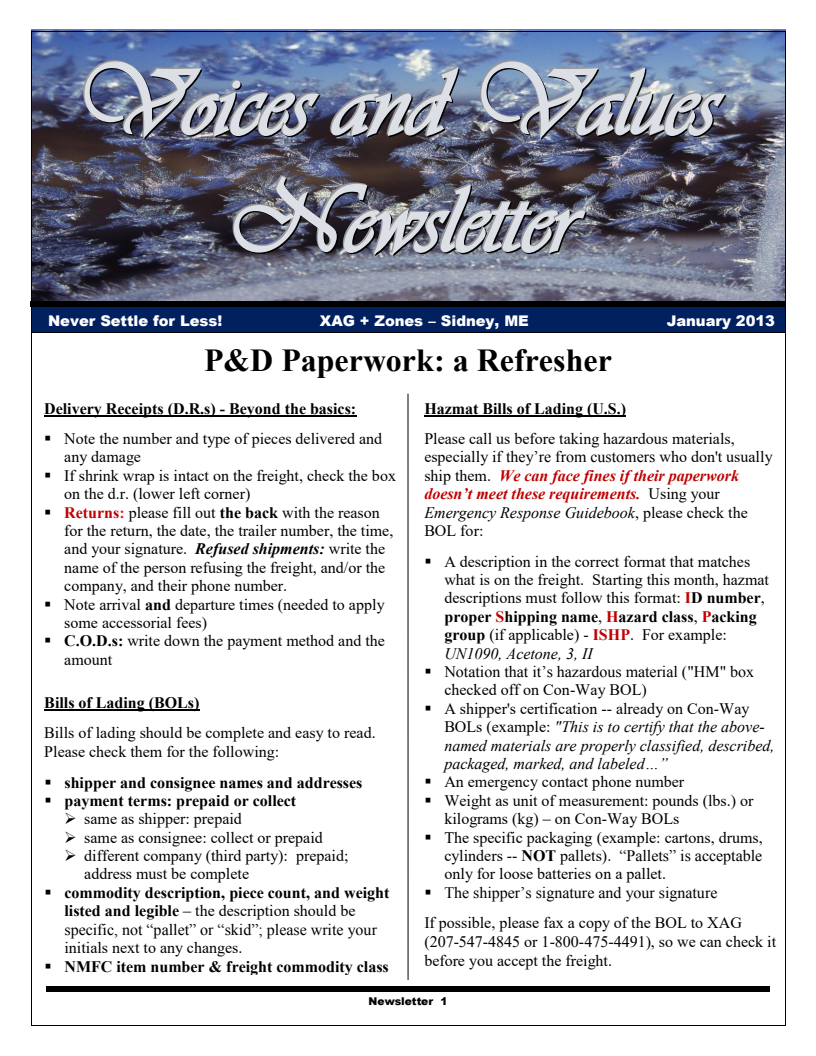
United Capital's FinLife Digest e-newsletter. A focus on interesting, trustworthy content made their business newsletter format stand out.

Their study of financial life management company United Capital showed how the firm revamped its “FinLife Digest” newsletter with original content and curated pieces.

This mix aimed to offer more valuable content. Their research showed readers cared about more than saving and investing, prompting United to add content on broader financial life stages. This customer-centric approach boosted newsletter engagement by 145% in one year.

Both newsletters used simple templates filled with interesting, trustworthy content.

Business Email Templates – Free Download

Even with a template, it’s not always clear where to place key e-newsletter content.

If you’re tired of wasting time guessing, get an outline that shows what to add and where for maximum engagement. Use it to fill your e-newsletters with information your audience will love.

The template suitable for any business covers:

  • 5 essential email elements
  • The most eye-catching places for engagement and action
  • Instructions for government-compliant footers
  • BONUS: customizable HTML templates for platforms like MailChimp

With this template, you can create a newsletter that “wows” your subscribers and keeps them engaged. And visual learners will easily spot where everything goes.

How Do You Update Your Business Template?

If you use an email service provider, updating your template should be as easy as a few clicks in your content boxes. Once you’ve saved it, email yourself a copy and see how it looks on your laptop, desktop, or mobile devices. Many platforms also let you preview it in different screen sizes.

Business E-Newsletter Template Creation Made Easy

With these tips, you can spend more time creating and less time guessing. Making a business newsletter template becomes as easy as 1-2-3.

To save time and stress less, get the Easy 5-Step Business E-Newsletter template.

What Are the Best Healthcare Newsletters? Examples

The best healthcare newsletter examples leave you wondering what’s in the next issue. The best way to create healthcare newsletters that convert is to see the world through your patients’ eyes.

🎁 Free Resource: Skip the guesswork. Get instant access to ready-to-use healthcare newsletter templates and start sending messages patients will open.

What is the Best Health Newsletter?

There’s no one “best” health newsletter. Two of the best healthcare newsletter examples include:

  • Loma Linda University Health (A Healthy Tomorrow): Best for patient-focused education, using staff expertise and eye-catching layouts to enhance their authority.
  • Parsley Health: Best for concise advice in a clean two-column format with clear calls to action.

For an analysis of what makes them leading newsletters, read on.

What Makes a Great Healthcare Newsletter?

A great healthcare newsletter must blend expert advice with engaging, easy-to-read content. According to industry standards, the best healthcare newsletters consistently:

  • Establish Trust: Feature advice from experienced medical staff, use reliable sources, and maintain HIPAA compliance.
  • Contain Clean Layouts: Use brand-appropriate visuals and contrasting background colors while avoiding clutter with competing calls-to-action.
  • Simplify Complex Ideas: Translate medical jargon and research into plain English patients can easily understand.

Healthcare Newsletter Examples

One of the best healthcare newsletter examples: Loma Linda University Health's email featuring the theme "Go Red for Heart Month."
  • Target audience: Loma Linda University Health patients
  • Content focus: Health maintenance and illness prevention
  • Expertise: Medical providers’ advice

This e-newsletter features a good example of a themed format; it promotes Heart Month with suitable shades of red throughout.

Its title, “A Healthy Tomorrow,” is one of the more inspiring healthcare newsletter names.

  • Headline hook: “5 Heart Numbers” plays on the psychological pull of odd numbers, which research suggests are more attention-getting than even ones.
  • Encouraging interaction: Links to a quiz and a related piece inspire responses.
  • Built-in credibility: Quotes from an on-staff cardiologist to build patient trust.
  • Stoking curiosity: The concise email subject line “Go Red for Heart Health.”
  • Holding attention: The alternating background colors in the featured items help them “pop” while they stay on theme.
  • Boost clicks: Place social media icons at the top.
  • Reduce confusion: The section below the third article features two calls to action (CTAs), side-by-side. One could be removed or moved to the top.
  • Cut clutter: Remove the unnecessary table of contents and reduce the image sizes, especially the top half of the header.
The Parsley Health e-newsletter on gut health, one of the best healthcare newsletters.
  • Target audience: Parsley Health patients
  • Content focus: gut health issues
  • Expertise: “Top doctors trained in root-cause resolution medicine.”

With its focus on better gut health, Parsley Health follows a consistent theme.

  • Concise content: From the clear email subject line repeated in the headline (“3 tips for gut health”) to the final CTA and anti-spam compliant footer.
  • Building engagement: The carefully placed images draw readers in, and the two-column format in the middle reduces scrolling.
  • Showing the benefits: Gentle persuasion through statements like “Parsley Health is here to help you understand and heal chronic digestive symptoms.” The tips, video, and copy below expand on the meaning, effectively addressing the buyer’s journey phases.
  • Boost clicks: Place the Instagram icon at the top, too.
  • Cut clutter: Fewer calls to action could improve reader focus.
In the healthcare industry, e-newsletters serve as both promotional material and a means of direct communication that delivers health updates, news, and educational content directly to patients’ mailboxes. This communication develops trust and loyalty that are critical in providing healthcare.”

Both newsletters subtly show expertise in ways that boost trust and credibility; they come across as reputable health organizations. The messages hold interest, though they could be shorter to keep readers engaged.

These healthcare email marketing examples target content to a specific audience: patients, especially those with chronic conditions. E-newsletters geared to caregivers or health professionals would advise on patient care.

The healthcare newsletter examples emphasize trust-building — the quality of care affects people’s lives.

How to foster accuracy and credibility in healthcare e-newsletters:

  • Feature advice from experienced staff
  • Show:
    • Awards won
    • HIPAA compliance
    • Reliable data sources

Maintaining trust in healthcare email marketing is hard because you must share helpful health details while you properly advertise without sharing private patient information.

Resources:

Healthcare newsletters are your direct line to patients, helping you deliver important information like policy changes and appointment reminders.

Knowing how to write a newsletter article can prepare you to write a business newsletter or create a professional email newsletter.

Healthcare Email Marketing Compliance and Regulations

Healthcare email marketing must follow data privacy rules like HIPAA, GDPR, CASL, and CAN-SPAM. Beyond HIPAA compliance, legal considerations include getting proper consent and offering email opt-in procedures.

HIPAA Requirements for Protected Health Information (PHI)

  • Patient authorization
  • Encryption
  • Business associate agreements
  • Easy unsubscribe instructions

GDPR Mandates

  • Processing personal data for marketing
  • Data protection principles
  • Letting patients exercise their data rights

CAN-SPAM: commercial emails must include unsubscribe options, accurate headers, ad identification, and a physical address.

Best Practices:

  • Get clear consent before sending commercial emails.
  • Segment communications to send commercial content only to opted-in recipients.
  • Use encryption and secure processes to protect data privacy and integrity.
  • Provide clear privacy notices, preference management, and easy opt-out options.
  • Maintain detailed documentation of data processing activities for compliance.
  • Ensure marketing emails have accurate headers, subject lines, ad labels, and a physical mailing address.
  • Honor opt-out requests in ten business days.

An attractive design and informative, trustworthy content make a healthcare newsletter readers won’t want to miss. Start by considering what your patients want to read and convey the information in a way that’s easy to digest.

Stop struggling with patient emails. The free Easy 5-Step Business E-Newsletter Template helps you draft engaging updates in minutes.

Instant PDF Download • 100% Free • No Credit Card Required

  • Originally published: June 12, 2024
  • Last updated: August 4, 2026